How to Install
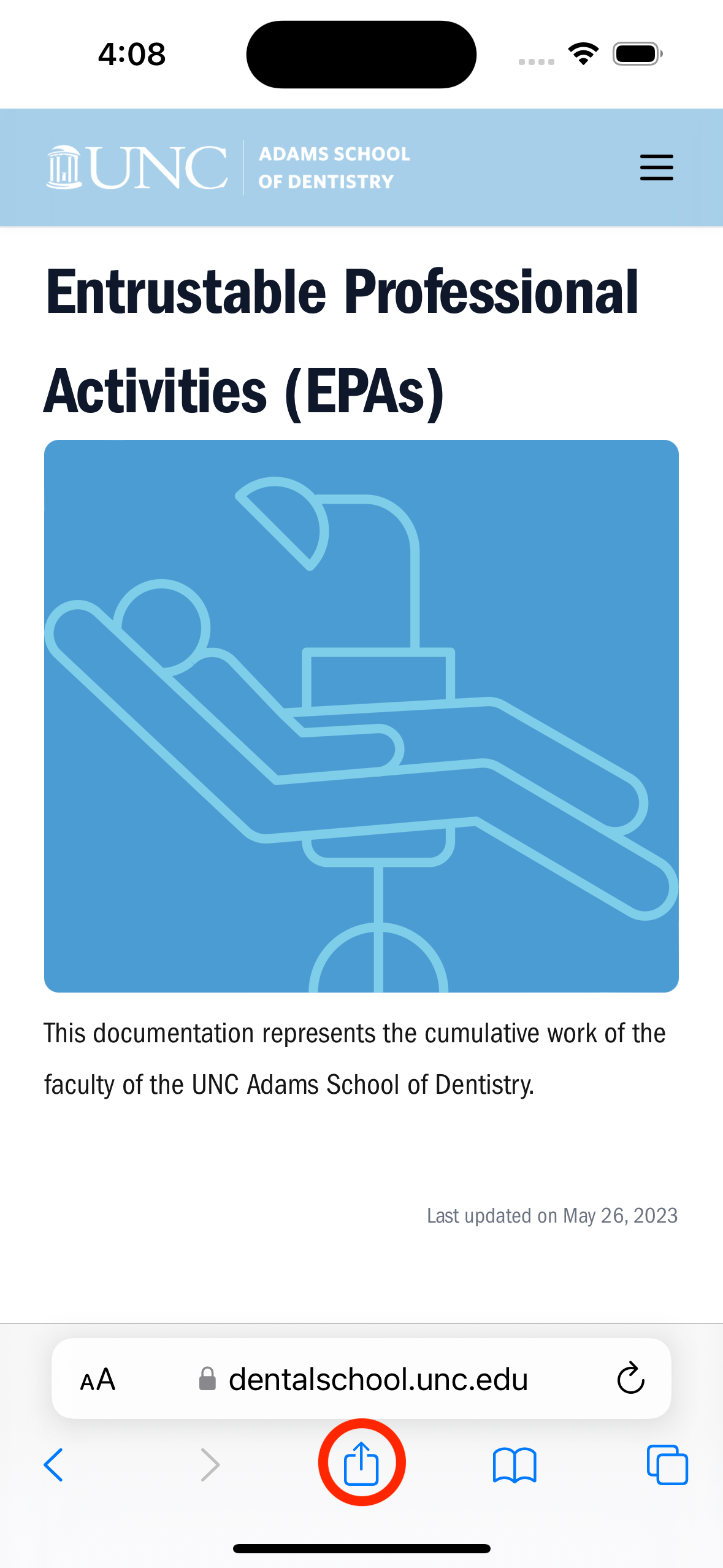
Go to https://dentalschool.unc.edu/epas/ (opens in a new tab)
and click the share icon. For Chrome users, the share icon is found in the top right.
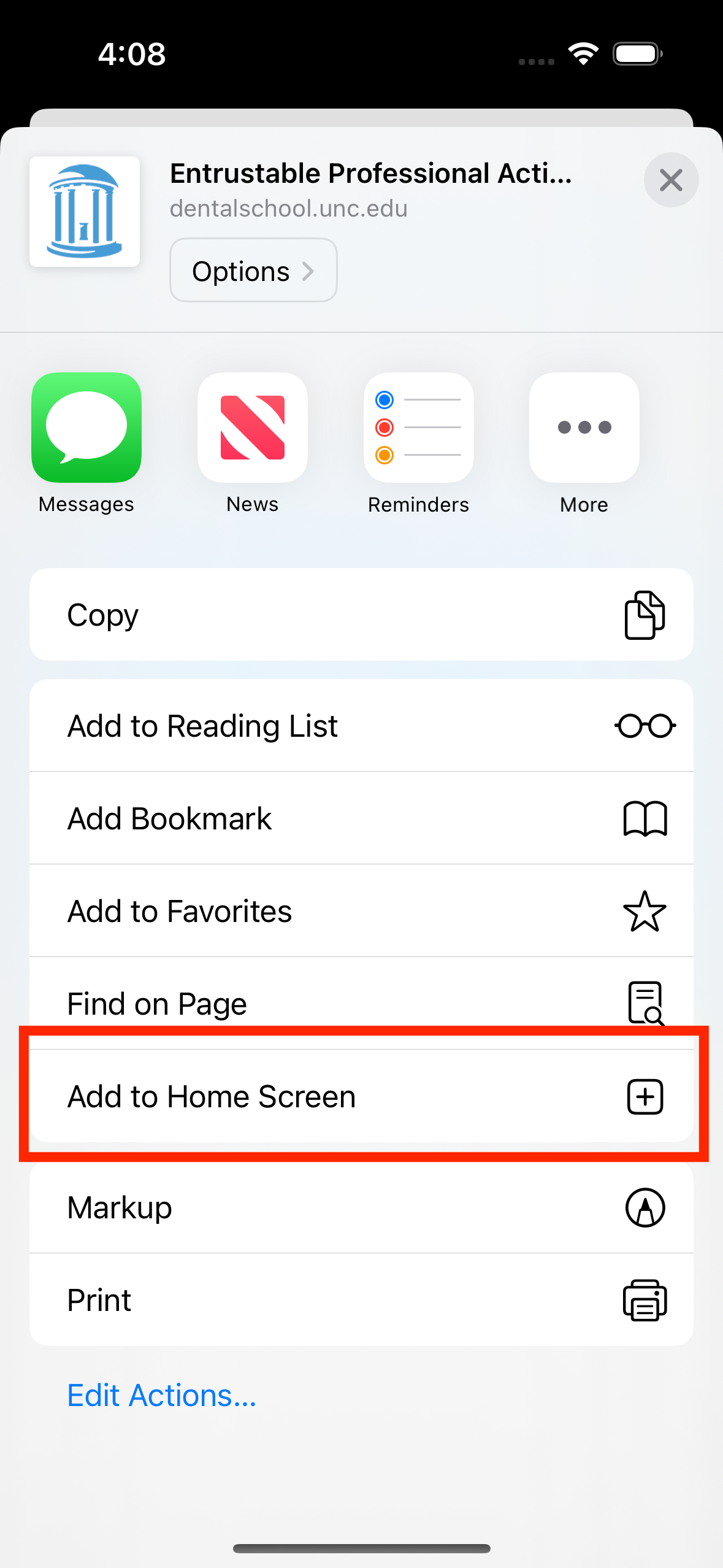
Scroll down and click "Add to Home Screen".
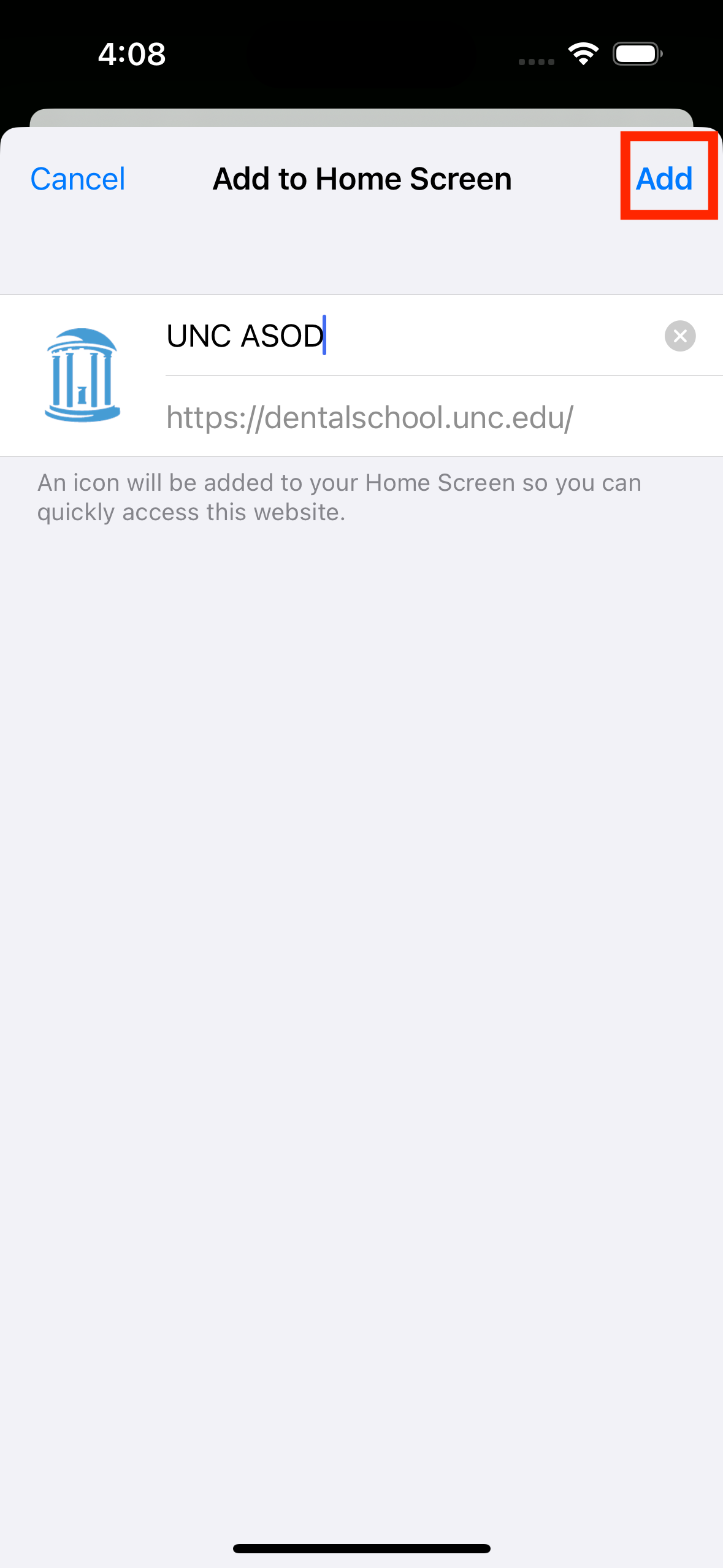
Click "Add". A new icon will be added on your home screen that you can click to quickly view the EPA data.